A hanko is a personal stamp. CryptoHanko uses that idea for a digital workflow: scan data, sign it with a key held by an Android device, and share a set of QR codes that another person can verify.
Why I built it
I wanted the phone to have the same role as a hanko. Once its key was associated with a person, that person could sign with the phone and get a QR code. One possible route was registering the phone in a central place, but I did not work out that registration system properly.
I tested the app but did not put it to further use. The signing workflow is implemented; the wider identity system remained an idea.
The main idea
The app separates three pieces of information: the public key, the original data, and the signature. Together they form a verifiable bundle. The private key is used for signing through Android’s Keystore instead of being displayed or exported.
The README describes an EC P-256 key pair generated inside the device’s Trusted Execution Environment. Hardware protection is a documented design requirement, rather than a claim here about every Android device.
Signing and verification
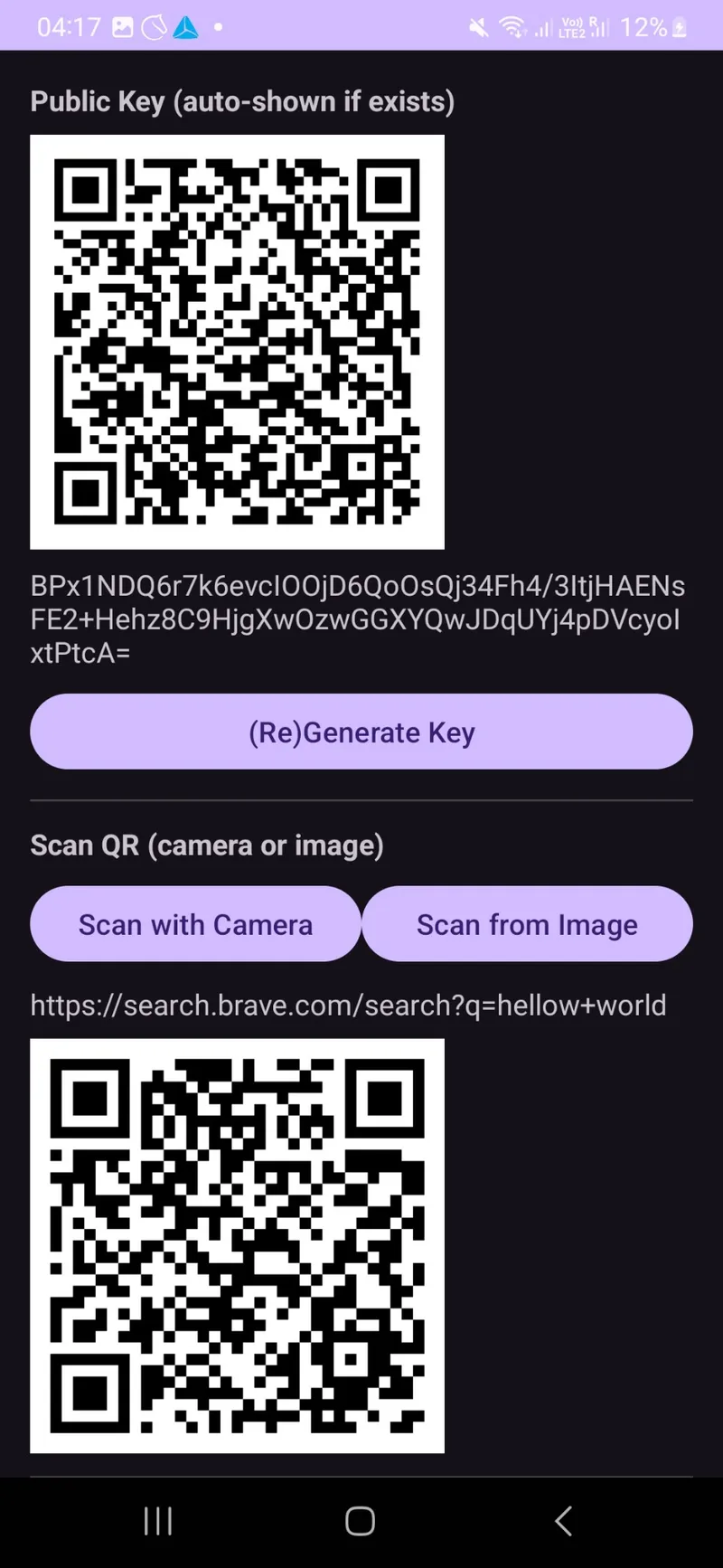
The app can read a QR code from the camera or an image in the gallery. It shows the decoded data, re-encodes it for confirmation, and signs the data with ECDSA and SHA-256.
The signature is DER-encoded and represented in Base64. The public key and signature are displayed as QR codes. Verification reads an image containing the three codes and reports whether the signature is valid.
Implemented features and scope
The repository documents persistent keys, manual key regeneration, scanning from camera or gallery, signing, and signature verification. It also includes screenshots and Android build instructions.
These demonstrate the intended app workflow. A valid signature establishes a relationship between a key and some data; the identity or authority attached to that public key is a separate question.
Build and inspect
Use Android Studio with an appropriate Android SDK. The repository documents Gradle tasks for debug and release builds. There is no browser version to embed here; the source and screenshots are the practical entry points.